

Change your password
You can change your Gaudio OTT password at any time from the Settings page. If you have forgotten it, use the reset link on the login page instead.
Where to go
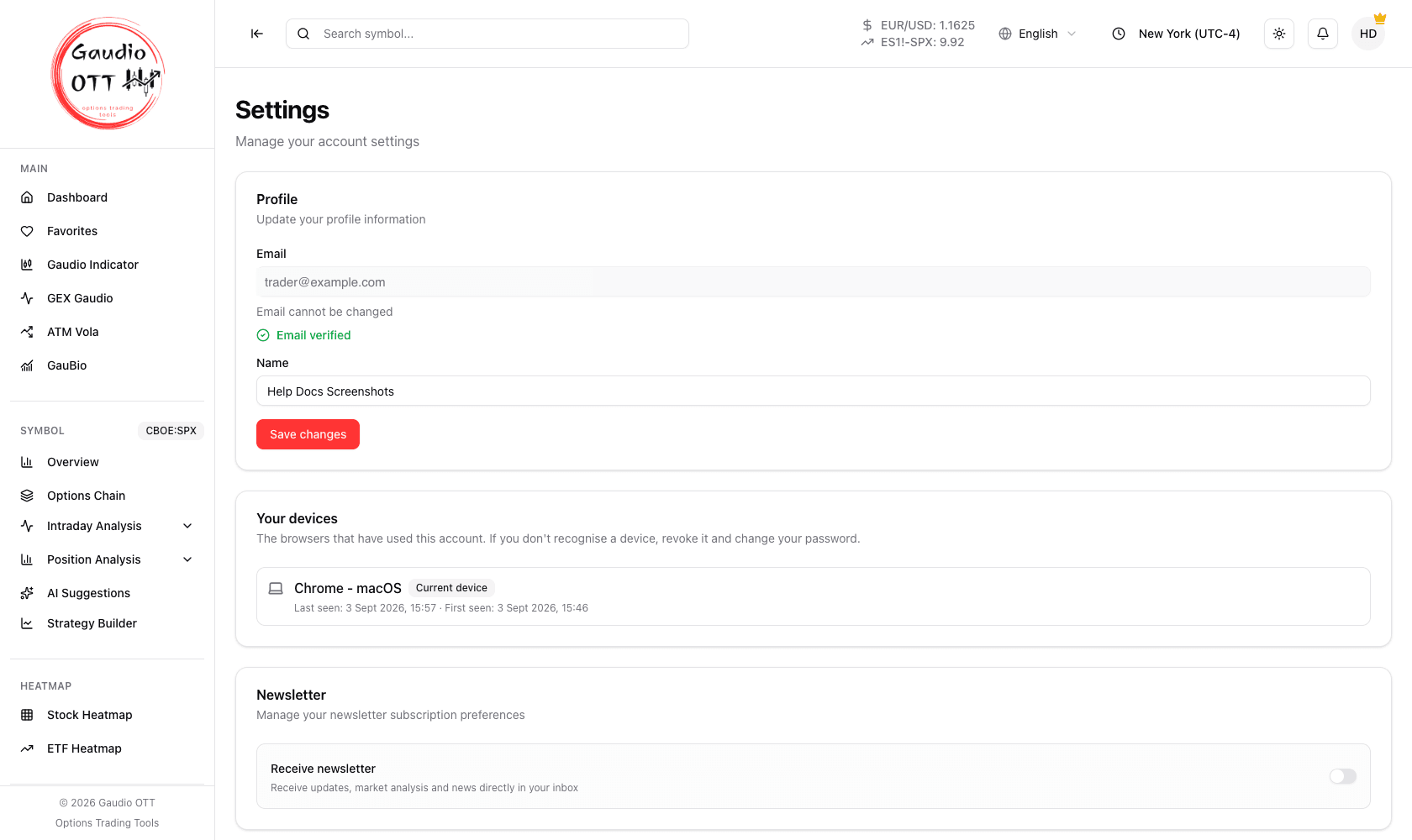
Section titled “Where to go”Open Settings, reachable either from the user menu at the top right or from the side menu, under Configuration.
How to change it
Section titled “How to change it”- Scroll to the Change password card.
- Enter your current password.
- Enter the new password and confirm it.
- If you want, tick Logout all other devices: only the browser you are using stays signed in, and every other one has to sign in again.
- Press the Change password button.
From that moment you have to use the new password to sign in.
If you signed up with Google
Section titled “If you signed up with Google”An account created with Continue with Google has no password, and the card is called Set a password instead. Enter the new password twice and press Set password: no current password is asked. From then on you can sign in with Google or with email and password, and the card goes back to Change password.
You can get the same result from the login page with Forgot password?: the reset link gives the account its first password.
If you have forgotten your password
Section titled “If you have forgotten your password”Use the Forgot password? link on the login page. A reset link is sent to the email address on the account — which is why verifying that address at registration matters: an unverified address cannot receive the reset message.
What else lives in Settings
Section titled “What else lives in Settings”The same page also holds:
- the Profile card — your name, plus the read-only email address with its verification status and a resend button;
- Your devices — the browsers that have used the account, each revocable. See Your devices;
- the Newsletter preference — a single opt-in switch;
- Sign out;
- Delete account — permanent. See Delete your account.
Common mistakes
Section titled “Common mistakes”- Changing the password to fix being signed out. Unexpected sign-outs are almost always the one-device-at-a-time rule, not a password problem. See User menu.
- Requesting a reset on an unverified address. Verify the email first, from the Profile card in Settings.
- Forgetting other browsers. After a password change, other browsers will need the new password; tick Logout all other devices to sign them out straight away.
Frequently asked questions
How do I change my Gaudio OTT password?
Open Settings from the user menu or the Configuration section of the side menu, go to the Change password card, enter your current password and the new one twice, then press Change password.
I forgot my password. How do I reset it?
Use the forgot password link on the login page. A reset link is sent to the email address registered on the account, so that address needs to be verified and accessible.
I signed up with Google. Can I also have a password?
Yes. In Settings the card is called Set a password: enter the new password twice and press Set password, with no current password to type. From then on you can sign in with Google or with email and password.
Can I change the email address on my account?
No. The email address is the account identifier and is shown as read-only in Settings. Contact support from the main site if it needs to change.
Do I have to sign in again after changing my password?
Your current session stays valid. Any other browser or device will need the new password the next time it signs in, or immediately if you tick Logout all other devices before changing it.
Related pages
Section titled “Related pages”Ready to use Gaudio OTT?
Section titled “Ready to use Gaudio OTT?”Open your free account and put what you just read into practice.