
Financial news
The Financial News section collects market news in real time, with a very large archive and the ability to search and browse articles. It is the quickest way to stay up to date without leaving the platform.
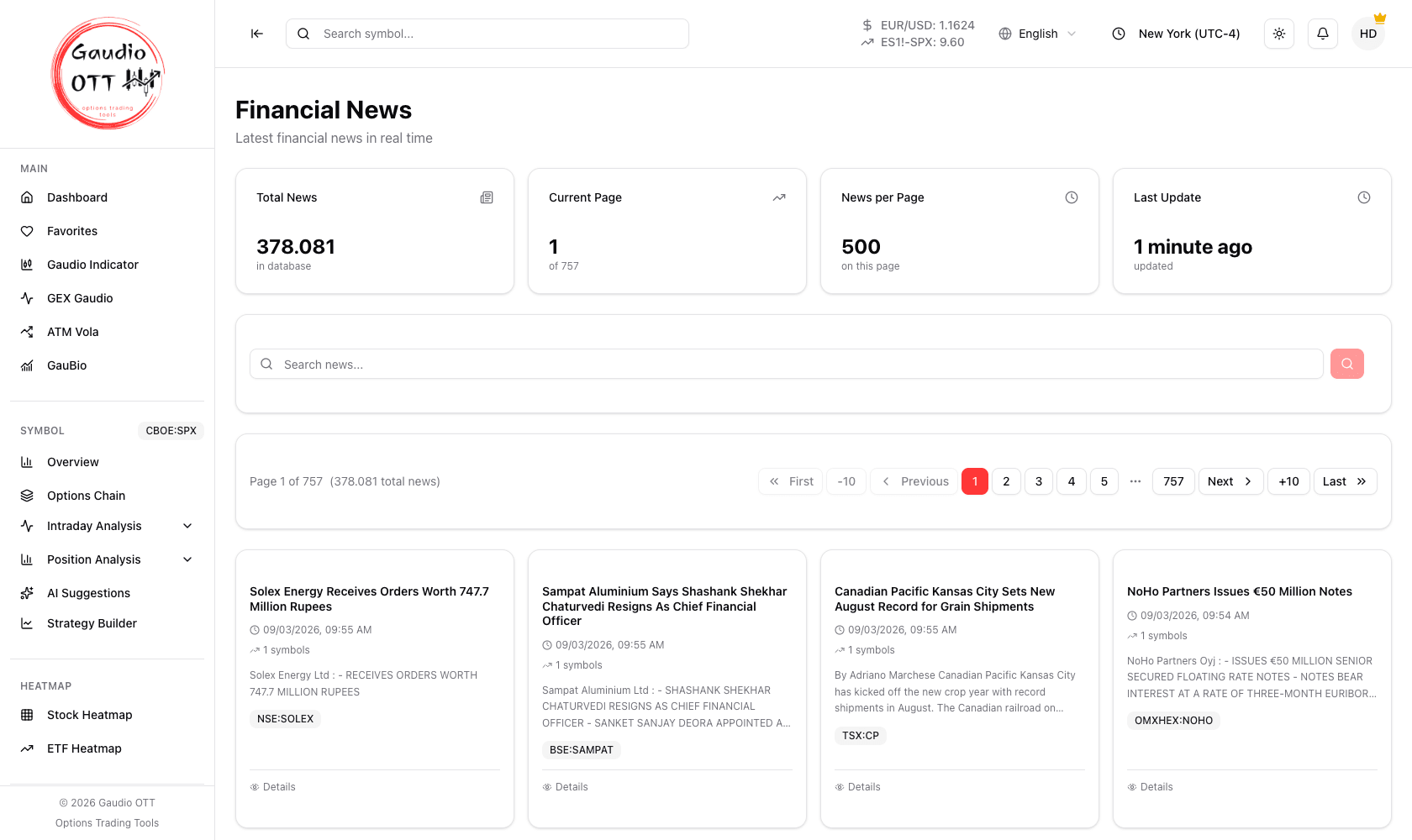
Financial News: the archive summary, the search bar and the news cards with their linked-symbol counts.
Where it is
Section titled “Where it is”Side menu, Utility → News. Available on the Premium and Ultra plans.
The summary at the top
Section titled “The summary at the top”The cards at the top tell you how many news items are in the archive in total, which page you are on out of the total, how many items are shown on this page, and how long ago the list was refreshed.
Searching and browsing
Section titled “Searching and browsing”Use the Search news… bar to find articles containing a given word — a company name, a theme, an event. The pagination controls let you move one page at a time, jump ten pages at a time, or go straight to the first or last page.
A single news item
Section titled “A single news item”Each item is presented as a card with the title, the publication date and time, an excerpt of the content and the number of linked symbols — the financial instruments mentioned in the article. That last number is the fast way to tell at a glance whether a story concerns the names you follow.
How to use it
Section titled “How to use it”Open the news at the start of the day to get a feel for market sentiment, or use the search when an instrument is moving unusually: behind a sudden move there is often a news item, and this is where you find it quickly.
The linked-symbols count is what makes the search efficient: a story mentioning one instrument is company news, while a story mentioning dozens is usually macro or sector-wide, and the two call for different responses.
Common mistakes
Section titled “Common mistakes”- Searching a ticker instead of a name. The search matches article text, so a company name generally returns more than its symbol.
- Reading the excerpt as the whole story. The card shows an extract; open the item for the full content.
- Expecting news on Free or Strategy. The section belongs to Premium and Ultra.
Frequently asked questions
What does the Gaudio OTT news section provide?
Real-time market news with a large searchable archive. Each item is shown as a card with the title, publication date and time, an excerpt, and the number of financial instruments mentioned in the article.
How do I search the news archive?
Use the Search news… bar to find articles containing a given word, such as a company name, a theme or an event. Pagination controls let you move one page at a time, jump ten at a time, or go directly to the first or last page.
Which plans include financial news?
Premium and Ultra. The news section is not available on the Free or Strategy plans.
What does the linked symbols count on a news card mean?
It is the number of financial instruments mentioned in that article. A story mentioning one instrument is typically company news, while one mentioning many is usually macro or sector-wide.
Related pages
Section titled “Related pages”Ready to use Gaudio OTT?
Section titled “Ready to use Gaudio OTT?”Open your free account and put what you just read into practice.