

Send a support request
Need help, want to report a bug, or have a suggestion? Use Send Feedback, in the side menu under the Help section.
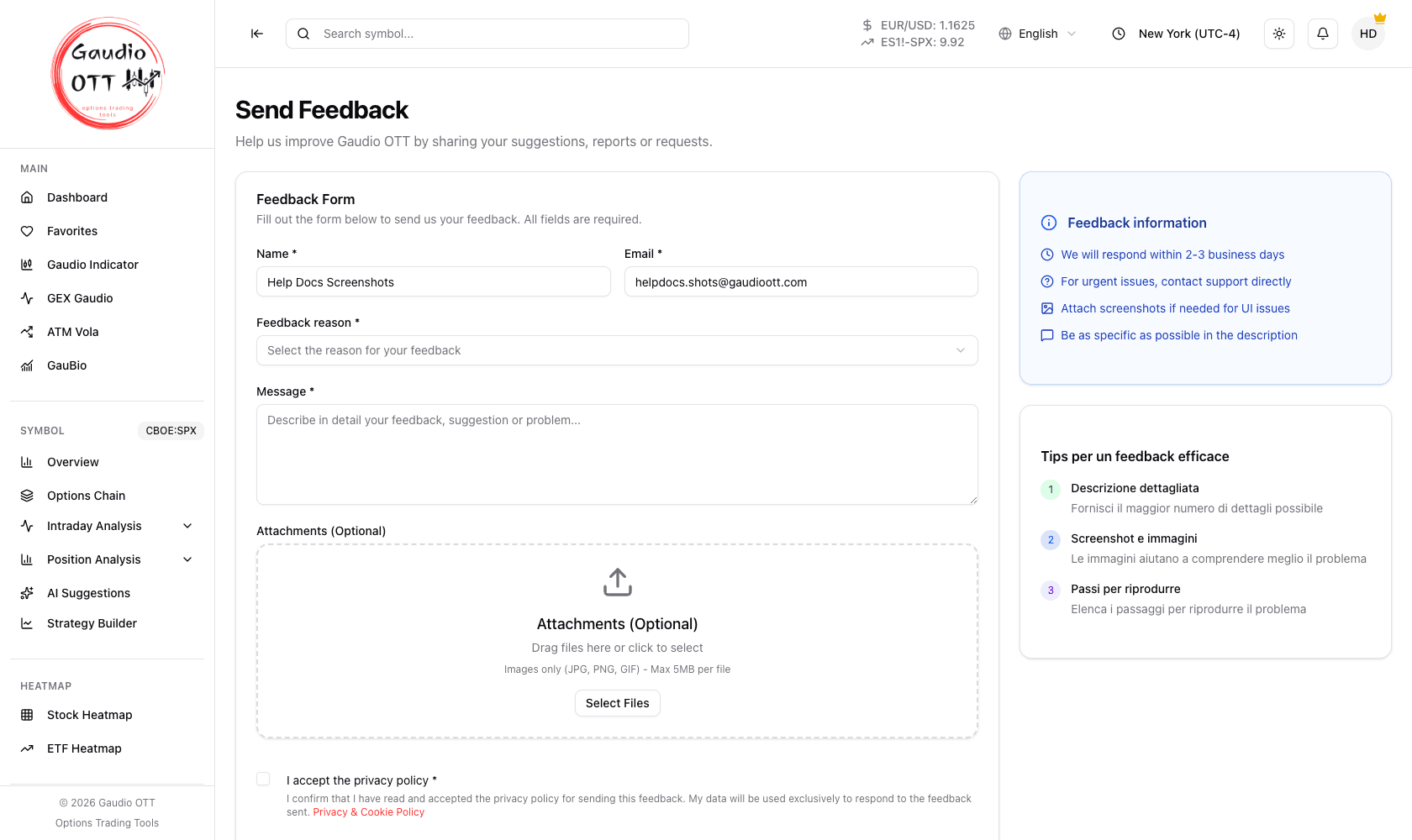
The Send Feedback form: describe the request, attach screenshots if useful, and send.
How to send a request
Section titled “How to send a request”- Open Send Feedback from the side menu.
- Describe your request: a question, an error you ran into, a suggestion, or anything else.
- If it helps, add one or more screenshots in the Attachments (optional) section — they make a problem far quicker to understand and fix.
- Send the request.
How to write a report that gets answered quickly
Section titled “How to write a report that gets answered quickly”The more precise the report, the faster the reply. Three things are worth stating explicitly:
- What you were doing — which page, which symbol, which expiration.
- What you expected to happen.
- What actually happened, with the exact wording of any error message.
A screenshot that includes the whole page, not just the chart, is usually more useful than a cropped one, because it shows the active symbol, the selected filters and the last-update time.
Other help channels
Section titled “Other help channels”- Manuals in the Help section of the side menu link to the documentation.
- Leave a Review links to the public Trustpilot page.
- For subscription and billing questions, the Plan page has the Manage Subscription button that opens the payment portal directly.
Common mistakes
Section titled “Common mistakes”- Sending “it doesn’t work” with no context. Without the page, symbol and error text there is nothing to reproduce.
- Cropping the screenshot to just the chart. The surrounding page carries the state that explains the chart.
- Using feedback for billing changes. Plan changes, payment method and cancellation are self-service from the Plan page.
Frequently asked questions
How do I contact Gaudio OTT support?
Use the Send Feedback page, reachable from the Help section of the side menu inside the app. Describe your request, optionally attach screenshots, and send it.
Can I attach screenshots to a support request?
Yes. The Send Feedback form has an Attachments (optional) section where you can add one or more screenshots, which considerably speeds up diagnosis.
What information should I include in a bug report?
What you were doing (page, symbol, expiration), what you expected to happen, and what actually happened including the exact error text. A screenshot of the whole page is more useful than one cropped to the chart.
Where do I go for billing or subscription questions?
The Plan page in the app. The Manage Subscription button opens the secure payment portal where you can update the payment method, change plan or cancel.
Related pages
Section titled “Related pages”Ready to use Gaudio OTT?
Section titled “Ready to use Gaudio OTT?”Open your free account and put what you just read into practice.