

Economic calendar
The Economic Calendar collects, on one page, the macroeconomic events and announcements that can move markets: inflation data, central bank decisions, employment, GDP and so on. It is the tool for knowing in advance when an important event is scheduled and preparing accordingly.
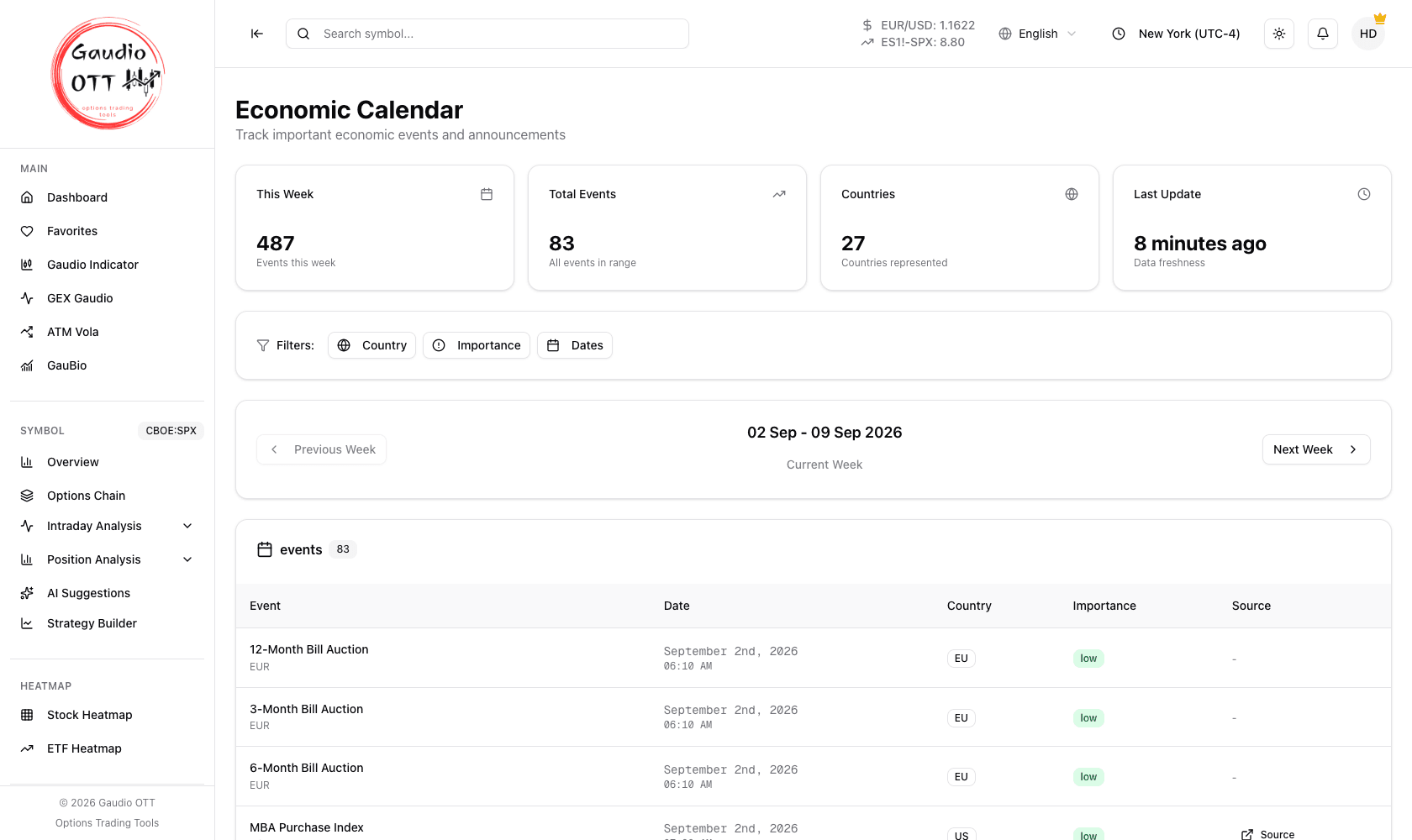
The Economic Calendar: the week summary, the country, importance and day filters, and the events themselves.
Where it is
Section titled “Where it is”Side menu, Utility → Macro Calendar. Available on all plans, including Free.
The summary at the top
Section titled “The summary at the top”The four cards at the top of the page give the overall picture: the number of events this week, the total events in the period, how many countries are represented, and how long ago the data was refreshed (Last update).
Navigating between weeks
Section titled “Navigating between weeks”The calendar is organised by week. The Previous week and Next week buttons move you backwards and forwards in time; the date range you are looking at is always shown in the middle.
The filters
Section titled “The filters”To focus on what matters to you, events can be filtered by:
- Country — show only the economies you follow.
- Importance — distinguish events by expected impact: low, medium, high.
- Days — narrow the list to specific days of the week.
The events table
Section titled “The events table”Each row shows the event name, the day and time, the country it refers to, its importance (with a colour-coded label) and the source of the data.
Times follow the timezone configured on your account, selected in the top bar — not your operating system.
How to use it
Section titled “How to use it”Look at the calendar at the start of the week to identify the high-importance releases: in the minutes around those prints volatility tends to increase. Knowing the times in advance helps you manage positions and avoid surprises.
The pairing with volatility tools is where it earns its place: a scheduled high-importance release explains an ATM Vola reading that would otherwise look anomalous, and it is the reason to check a volatility skew before assuming an expiration is simply expensive.
Common mistakes
Section titled “Common mistakes”- Reading times in the wrong timezone. Set the timezone selector in the top bar to the one you actually trade in.
- Filtering by country and forgetting it. A quiet week may just be an over-filtered view; check the summary count against the visible rows.
- Treating importance as certainty. The label is expected impact, not realised impact.
Frequently asked questions
What does the Gaudio OTT economic calendar show?
The macroeconomic events and announcements that can move markets — inflation data, central bank decisions, employment figures, GDP and similar — organised by week, with the event name, day and time, country, expected importance and data source.
How do I filter the economic calendar?
By country, to show only the economies you follow; by importance, to separate low, medium and high expected impact; and by day of the week. The Previous week and Next week buttons move between weeks.
Which timezone are calendar times shown in?
The timezone configured on your account, selected in the top bar. It is not taken from your operating system, so check it before planning around a release time.
Which plans include the economic calendar?
All of them, including Free. The Macro Calendar is part of the Utility feature group available on every plan.
How should I use the calendar alongside the volatility tools?
Check it at the start of the week for high-importance releases, because volatility tends to increase around those prints. A scheduled release often explains an ATM Vola reading or an expensive-looking volatility skew that would otherwise look anomalous.
Related pages
Section titled “Related pages”Ready to use Gaudio OTT?
Section titled “Ready to use Gaudio OTT?”Open your free account and put what you just read into practice.