

Create a Gaudio OTT account
To use Gaudio OTT you create an account on the public site, in one of two ways: with your Google account, or with an email address and a password. Registration takes a minute and needs no credit card. With Google you are in straight away; with email and password you first confirm the address, which is what unlocks the dashboard.
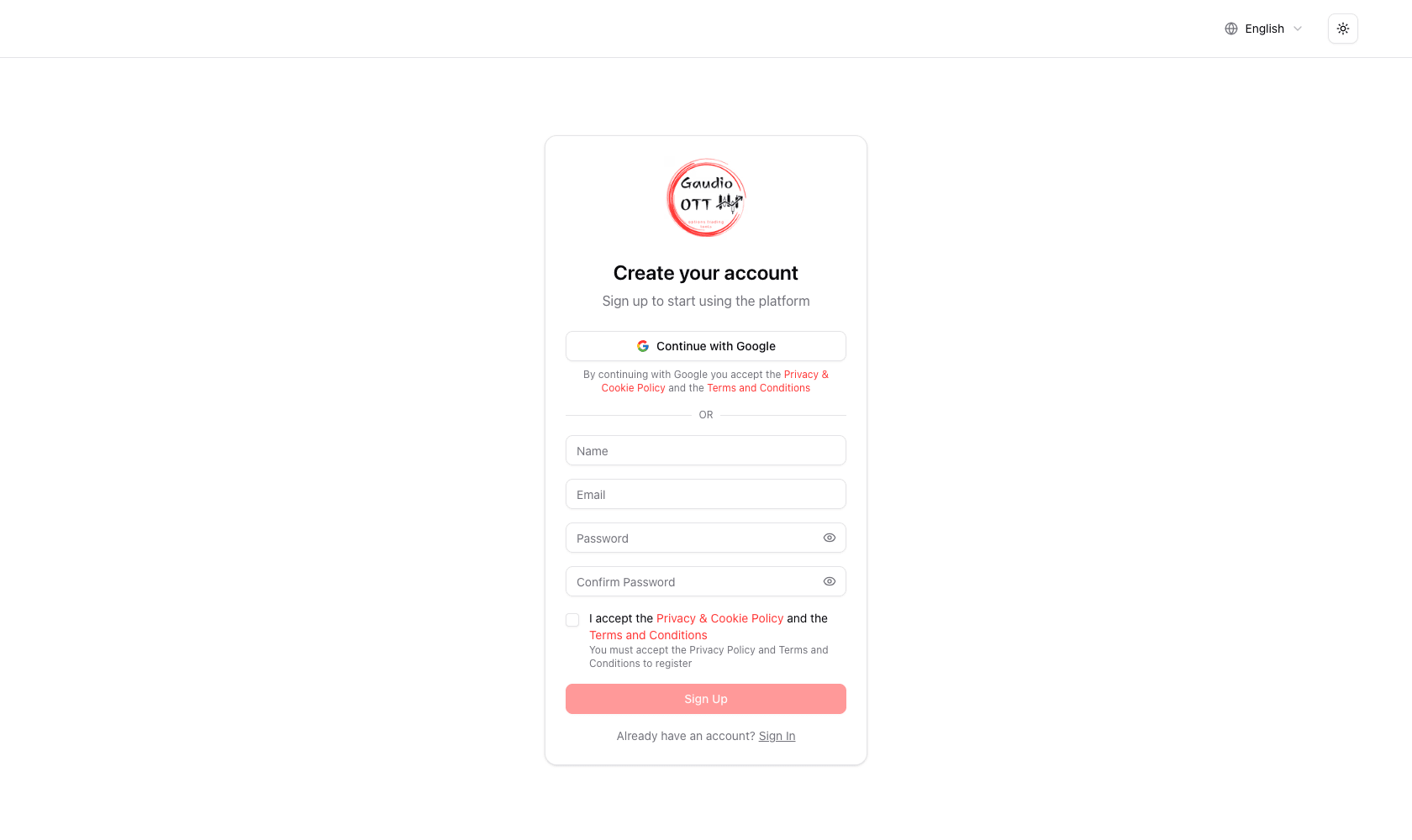
The registration page: Continue with Google at the top, the email and password form below.
What you need
Section titled “What you need”- A Google account, or a working email address you can open right away and a password you will remember.
- Nothing else. The Free plan requires no payment details.
Sign up with Google
Section titled “Sign up with Google”- Open the registration page on the main Gaudio OTT website.
- Press Continue with Google and choose your Google account.
- You land in the dashboard.
There is nothing to verify: Google has already confirmed the address, so the account is born verified and the welcome email arrives right away. Continuing with Google means accepting the Privacy Policy and the Terms and Conditions, as the note under the button says. Your name comes from the Google account and can be changed later in Settings.
From then on you sign in the same way, with Continue with Google on the login page. A Google account has no password until you set one: see Change your password.
Sign up with email and password
Section titled “Sign up with email and password”- Open the registration page on the main Gaudio OTT website.
- Below or, fill in your name, email, password and password confirmation.
- Accept the Terms and Conditions and the Privacy Policy.
- Press Sign Up.
- Open the verification email you receive at that address.
- Click the confirmation link.
- Sign in and enter the dashboard.
If you already have an account with the same email
Section titled “If you already have an account with the same email”Continue with Google on an address that already has a Gaudio OTT account, and the two are joined: you enter your existing account, with its plan, favorites and strategies, and from then on you can sign in either way.
If that account was never verified, Google proves the address belongs to you, and the account is secured on the way in: its password is removed and the browsers it had used must sign in again. Whoever opened it with your address can no longer get back in. If you want a password, set a new one.
Why email verification matters
Section titled “Why email verification matters”Verification proves the account can actually receive transactional messages: the password reset link, subscription receipts, and support replies. Until the address is confirmed the dashboard stays locked, which prevents an account being created on a typo’d address and then becoming unrecoverable.
This applies to accounts created with email and password. You can check the status at any time in Settings: the Profile card shows Email verified or Email not verified, and in the second case a button resends the message. The resend has a cooldown, and the remaining time is shown on the button itself.
After the first login
Section titled “After the first login”Once you are in, the fastest useful path is:
- Read Interface layout so you know where things are.
- Search a symbol you already follow — see Symbol search.
- Add it to your favorites.
- Open its Options Chain.
When you want the advanced analyses, the Plan page compares the four plans and starts the 7-day free trial available on monthly plans.
Common problems
Section titled “Common problems”I did not receive the verification email
Section titled “I did not receive the verification email”- Check the spam or promotions folder.
- Wait a couple of minutes; delivery is not always instant.
- Make sure the address was typed correctly — a wrong address is the most frequent cause.
- Use the resend button in Settings once the cooldown expires.
I verified but I still cannot continue
Section titled “I verified but I still cannot continue”Sign out and sign back in with the same email. The session picks up the new verification state on the next login.
I forgot my password
Section titled “I forgot my password”Use the Forgot password? link on the login page. The reset link is sent to the same address, which is why verification matters.
“This account was created with Google”
Section titled ““This account was created with Google””You tried to sign in with email and password on an account that has none. Use Continue with Google, or, if you want a password as well, set one with Forgot password?: the link you receive gives the account its first password.
Google sign-in does not let me in
Section titled “Google sign-in does not let me in”- Your Google account has no verified email: verify the address on Google first, or sign up with email and password.
- This email is already linked to a different Google account: sign in with email and password, or with the Google account you used the first time.
I signed in and got logged out somewhere else
Section titled “I signed in and got logged out somewhere else”That is expected: the account is bound to one active device at a time. See User menu and Your devices.
Frequently asked questions
How do I create a Gaudio OTT account?
Open the registration page on the Gaudio OTT website and either press Continue with Google, which takes you straight into the dashboard, or enter your name, email and password, accept the terms and privacy policy, and submit the form. With email and password you then open the verification email and click the confirmation link to unlock the dashboard.
Can I sign up with my Google account?
Yes. Press Continue with Google on the registration or login page. The account is created already verified, so there is no confirmation email to open, and you sign in the same way from then on. If an account with the same email already exists, Google signs you into that account.
Is a credit card required to register?
No. The Free plan requires no credit card and no payment details. A card is only needed when you subscribe to a paid plan, including to start the 7-day free trial on a monthly plan.
Why can I not access the dashboard after registering?
Because the email address has not been verified yet, which only happens with accounts created with email and password. Open the verification message and click the confirmation link. If it did not arrive, check your spam folder and use the resend button in the Profile card of the Settings page.
I did not receive the verification email. What should I do?
Check the spam and promotions folders, wait a couple of minutes, and confirm the address was typed correctly. Then use the resend button in Settings, which becomes available again after a short cooldown shown on the button.
Can I change the email address on my account?
No. The email address is the account identifier and cannot be changed from Settings, where the field is shown as read-only. Contact support from the main site if the address needs to change.
Related pages
Section titled “Related pages”Ready to use Gaudio OTT?
Section titled “Ready to use Gaudio OTT?”Open your free account and put what you just read into practice.